Turn yourself into a cartoon in any video
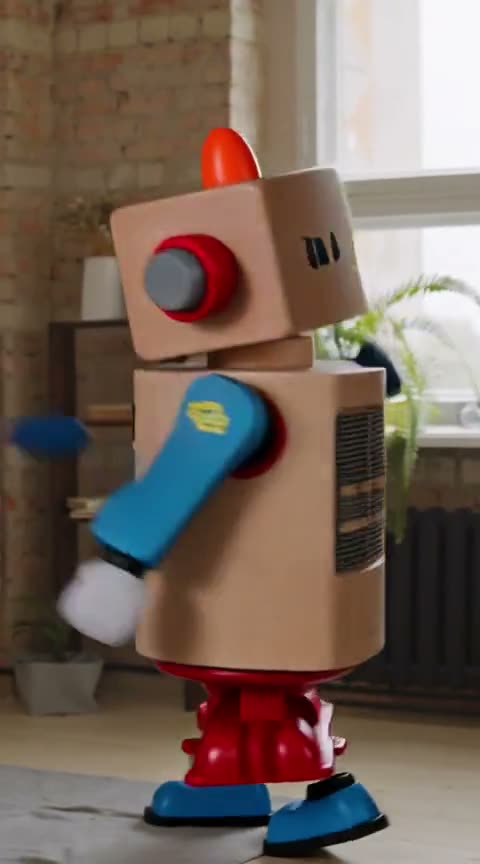
Film yourself dancing, talking or acting something out, then add one picture of the cartoon you want to be. Cendrift puts the cartoon in your place and keeps your moves, your timing and the sound.
How to do it
- Step 1
Film yourself, or upload a clip you already have (MP4, MOV or WebM, up to 200 MB), and pick up to 15 seconds of it.
- Step 2
Add one picture of your cartoon: the whole character, facing the camera, on a plain background.
- Step 3
If several people are on screen, give your photo a name, say Fox, and write who it replaces: "@Fox replaces the woman in the red jacket". At very busy times, swaps with a second photo or a description can be turned away for a while, at no charge.
- Step 4
Render. A 6-second clip usually takes about 3 minutes at 480p and 7 at 720p, and up to about 19 at busy times. You can leave the page while it runs.
You bring the cartoon
Cendrift doesn't draw the cartoon for you or put a filter on your face. It replaces you with the character in your picture, so the picture decides how you look: a drawing of yourself, a character you designed, or one made in an image app you have the rights to use.
Clean pictures work best: the whole body in view, a simple pose, and nothing covering the character. Flat 2D cartoons or ones with unusual proportions are harder and may not hold their look, so try a short clip at 480p first.
Your performance stays yours
Your steps, gestures and head turns, the camera move and the room carry over, with small differences possible in fast moves. The sound stays exactly as recorded, so the cartoon dances to your beat and the clip still lines up with your audio.
It suits dance trends, skits, reaction clips and intros for a channel, where you want to perform without showing your face.
Questions
How much does it cost?
You get 20 seconds of 480p free when you confirm your email, with a watermark. After that a $10 top-up buys 450 credits that never expire, about 45 seconds at 720p with no watermark. Monthly plans bring it as low as $0.16 a second. If a render fails, the credits come back on their own.
Does it keep my voice?
Yes. The original sound stays on the finished clip, in sync with the picture.
Can it make a cartoon from my photo?
No. You add the cartoon's picture yourself. If you want a cartoon version of you, draw or make that picture first, then use it as your character.
Can I turn other people into cartoons?
Only swap people who agreed to it: every render asks you to confirm that. We check uploads automatically and refuse them if they may show anyone under 18, sexual content of any kind, graphic violence or hate symbols, or if the character photo shows a public figure.
Try it on your own video.
Free credits when you confirm your email. No card needed.